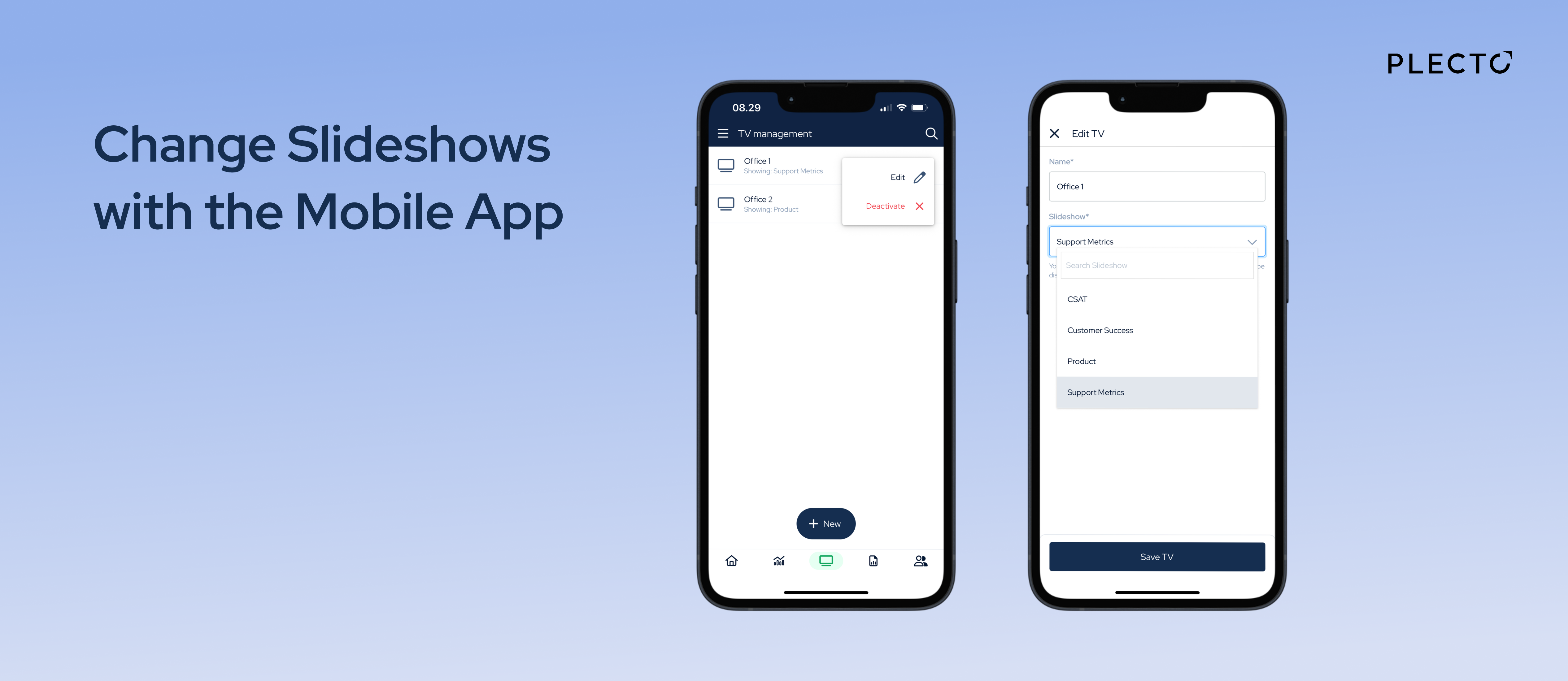
No more deactivating and reactivating TVs just to change what's on your screen. With the latest mobile release, you can now switch Slideshows on your TVs in seconds – right from your phone!
Here's how:
- Open Plecto mobile app and go to TV Management
- Tap the three dots next to a TV to edit
- Select a new Slideshow
Your TV screen will reload and display the new Slideshow.
No app update needed, the feature is already live. Give it a try and let us know what you think! 📲
Visit the Product Portal to see what we're working on, submit your feedback, or add new ideas!