Now all your Dashboards are neatly housed inside Plecto. These latest updates will make creating, editing, and using your dashboards to celebrate your team way more intuitive - putting our powerful gamification and TV streaming right at your fingertips!
Find out exactly what's been updated below:
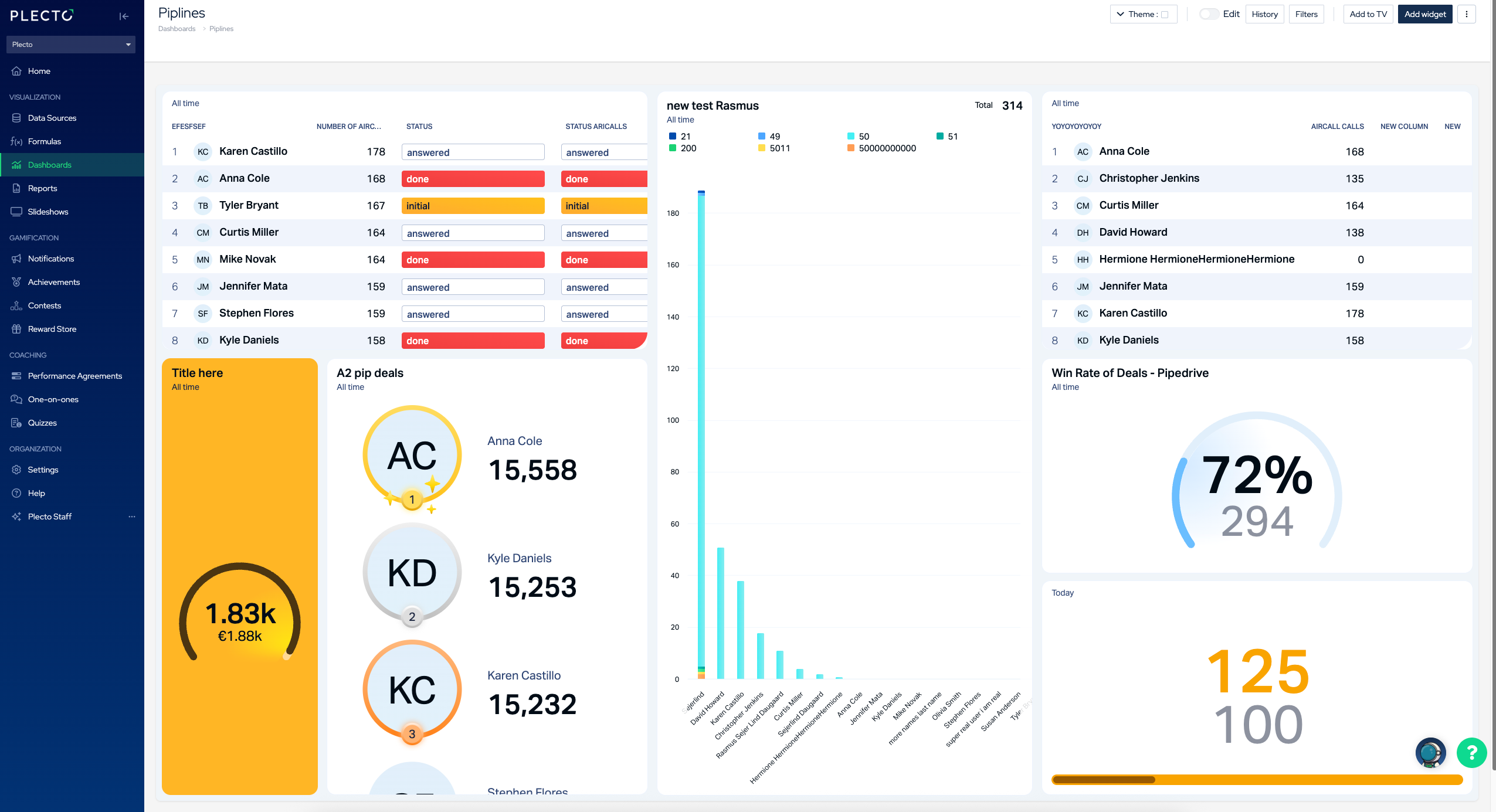
✨ What’s new?
Better dashboard organization:
- New Dashboard list design
Sort, search, and filter your dashboards based on when they were created and by who
- Pinned Dashboards 📌
Easily find your favorite dashboards by pinning them to the top of the page
- Multi-Select and Bulk Actions
Select multiple dashboards, then duplicate or delete multiple in one go using the Actions column button.
- Dashboards are now inside the platform
No more switching between pages to edit your dashboards
Easier to turn your dashboards into celebrations:
We've brought the most important settings front and center and put them on the header so you can easily turn your dashboards from OK to "Hooray!"
Making a manager's dreams come true:
- Default-sized widgets
No more not being able to see widgets once they're up on TV screens. Drag-and-drop widgets onto dashboards in dimensions that fit just right.
- Re-visit performance during particular periods
The History tool in the header settings keeps your version control simple and accessible
- Export your dashboards
Immediately export your dashboard as meeting-ready PDFs under the three dots in the top-right corner and selecting Export dashboard to PDF
Go to Dashboards to see what's updated, pin your favorite dashboards, add your dashboard to a TV, export your dashboard + more!